 LaunchMon
LAUNCHD FIELD NOTES
Where are my launch agent’s logs?
Check StandardOutPath and StandardErrorPath in the plist; use Console for processes that log through the unified logging system.
Start in Terminal
These examples use a placeholder label. Substitute the exact Label from your own plist, not its filename.
plutil -p "$HOME/Library/LaunchAgents/local.example.plist"
launchctl print "gui/$(id -u)/local.example"
What to check next
If a log path is configured, read that file with tail -n 100 followed by the quoted path. If not, open Console and filter by the executable’s process name. A missing log file may mean the job never launched or the directory is not writable.
Why it happens
launchd does not automatically create a separate readable log file for every service. Applications choose whether to use stdout, stderr, their own files, or unified logging.
User agents usually run in gui/<your uid>; system daemons run in system. The same label in different domains refers to different service registrations.
See it in LaunchMon
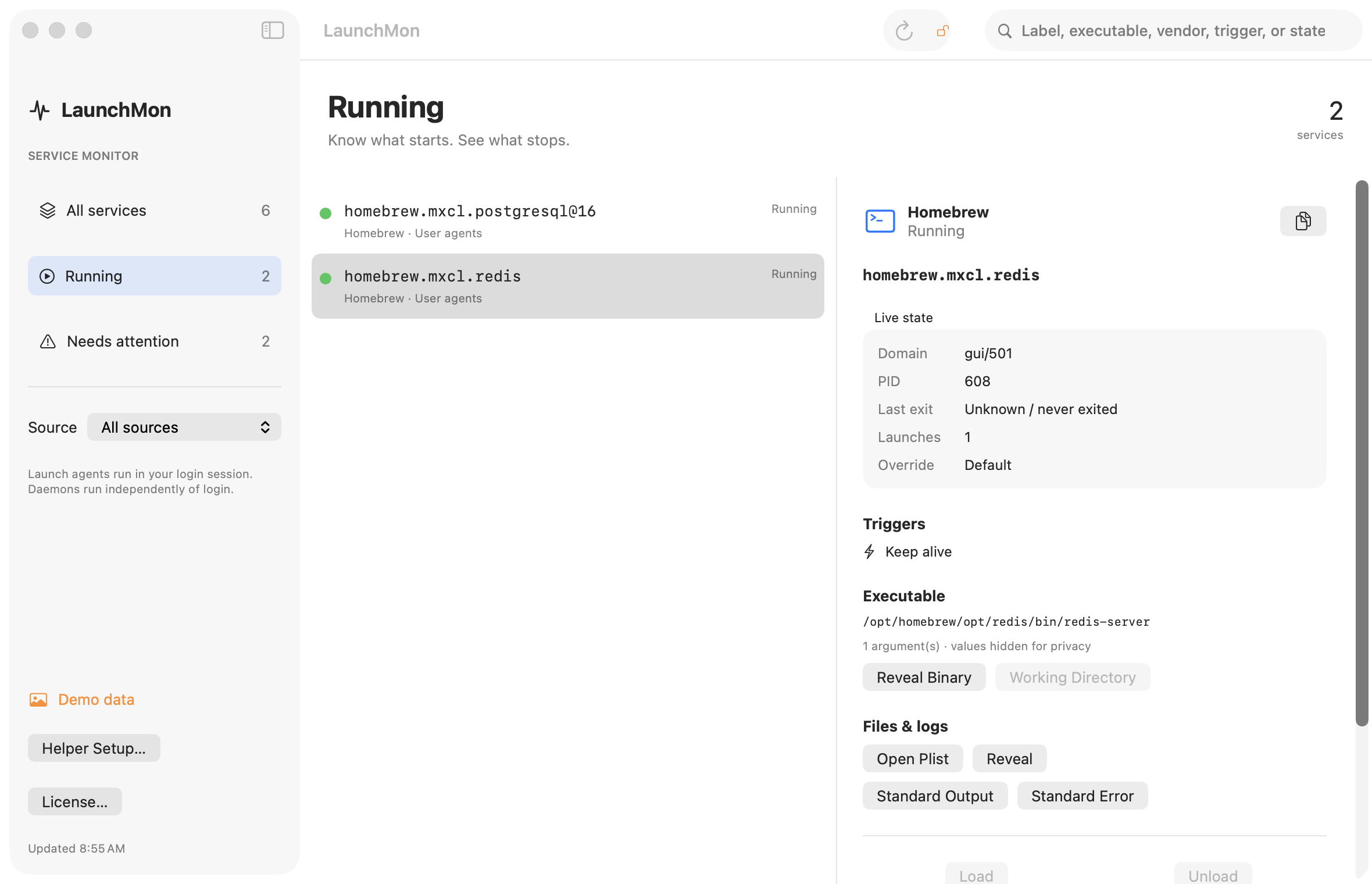
LaunchMon brings the plist, triggers, runtime state, and configured log paths together.
Related guides
- launchctl load vs bootstrap: the old commands and their replacements
- launchctl bootstrap failed: 5 — what to check
References: Apple: creating launchd jobs. For commands on your macOS version, run man launchctl and man launchd.plist.