 LaunchMon
LAUNCHD FIELD NOTES
launchctl load vs bootstrap: the old commands and their replacements
load, unload, start and list guess the domain and report success even when nothing loaded. bootstrap, bootout, kickstart and print name it and fail loudly.
Start in Terminal
These examples use a placeholder label. Substitute the exact Label from your own plist, not its filename.
Which domain this Terminal is in (Aqua means gui/<your uid>):
launchctl managername
launchctl print "gui/$(id -u)" | head -12
Each legacy subcommand and its modern equivalent:
load PLIST→bootstrap gui/<uid> PLISTunload PLIST→bootout gui/<uid>/LABEL(or bootout gui/<uid> PLIST)load -w PLIST→enable gui/<uid>/LABEL, then bootstrapunload -w PLIST→bootout, then disable gui/<uid>/LABELstart LABEL→kickstart gui/<uid>/LABEL(-k restarts a running one)stop LABEL→kill SIGTERM gui/<uid>/LABELlist [LABEL]→print gui/<uid>[/LABEL]remove LABEL→bootout gui/<uid>/LABELsudo load DAEMON→sudo bootstrap system DAEMON
Read-only: what launchd knows about one job, and what is disabled:
launchctl print "gui/$(id -u)/local.example"
launchctl print-disabled "gui/$(id -u)"
What to check next
Every modern subcommand takes a target instead of guessing one. A domain target is gui/501 (your login session; id -u prints your number) or system. A service target adds the Label: gui/501/local.example. bootstrap takes a domain and a plist path; bootout, kickstart, kill, enable, disable and print take the service target. Agents from ~/Library/LaunchAgents and /Library/LaunchAgents go into gui/<uid> without sudo. Daemons from /Library/LaunchDaemons go into system, which anyone can print but only root can change, so those commands need sudo. The -w flag in older instructions is now enable and disable: it changes a persistent override that decides whether the job may load at all. A disabled job cannot be bootstrapped until you enable it, which is why load -w becomes enable followed by bootstrap. kickstart runs the job now, whatever its triggers say; add -k to kill and restart one that is already running. When bootstrap fails it exits non-zero with a message such as Bootstrap failed: 5: Input/output error, which has its own guide. For details, launchctl print shows the state, last exit code, plist path and the program launchd resolved. Its output is meant for people, and the manual warns it can change between releases, so do not parse it in scripts.
Why it happens
Since OS X Yosemite, launchd has been organized into domains: one system domain started at boot, and per-user domains, including a GUI domain for each person logged in at the screen. The legacy subcommands never ask which domain you mean. The manual says they target the system domain when run as root and the caller’s own context otherwise, which from Terminal in your login session is gui/<uid>. That is why load still appears to work for the everyday case. It goes wrong quietly in the others: sudo launchctl load on a LaunchAgent aims it at the system domain, and a shell opened over SSH is not in your GUI session. Worse, the manual says load and unload only return a non-zero exit code for bad usage and zero otherwise, so a script that checks the result never sees the failure; at most you get a one-line Load failed: 5: Input/output error. Apple still ships them for compatibility, lists them under Legacy Subcommands, and names bootstrap, bootout, enable and disable as the recommended alternatives, and print in place of list.
User agents usually run in gui/<your uid>; system daemons run in system. The same label in different domains refers to different service registrations.
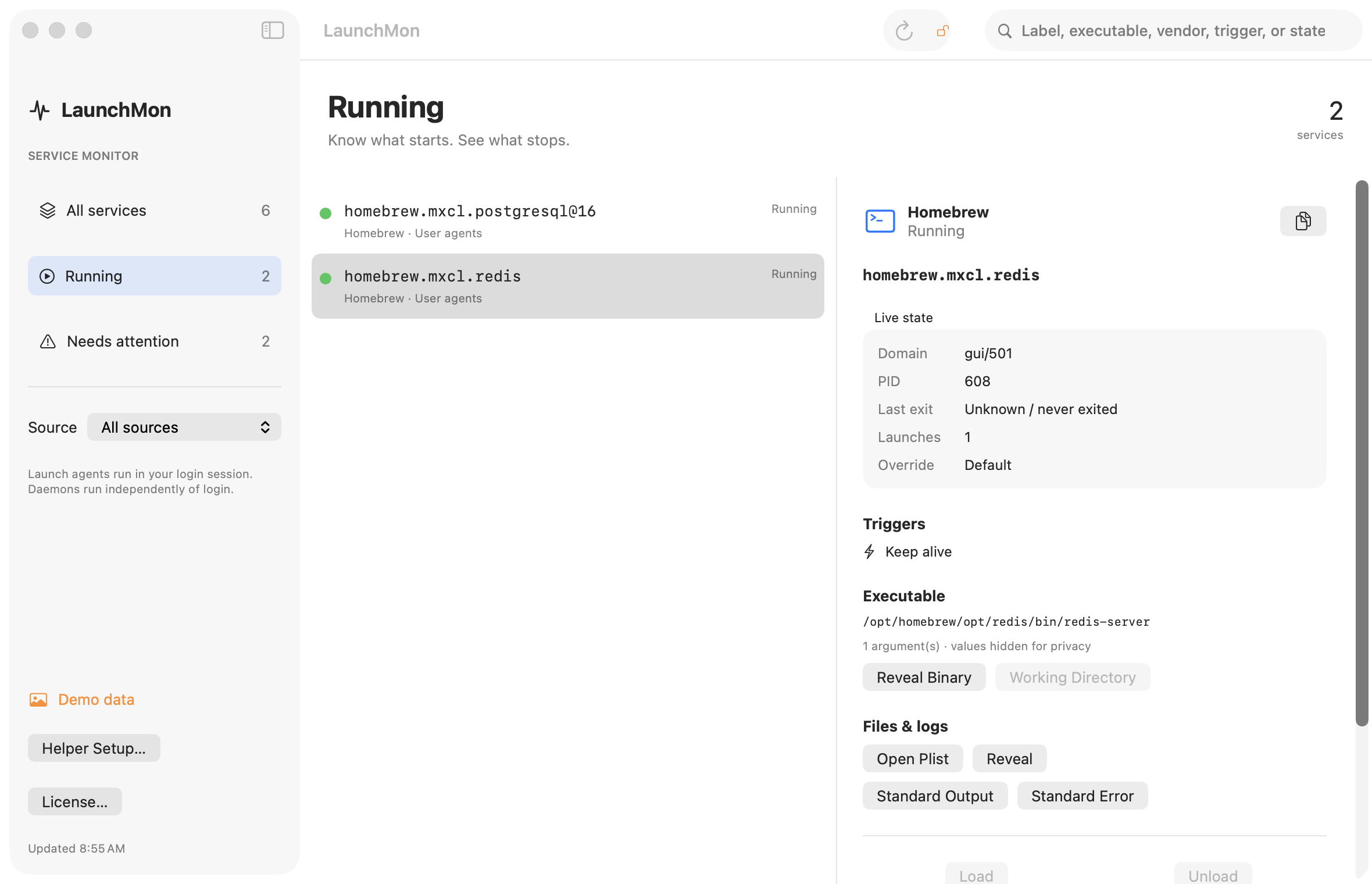
See it in LaunchMon
LaunchMon brings the plist, triggers, runtime state, and configured log paths together.
Related guides
References: Apple: creating launchd jobs. For commands on your macOS version, run man launchctl and man launchd.plist.