 LaunchMon
LAUNCHD FIELD NOTES
launchctl “Load failed: 5: Input/output error”: what it means and how to find the cause
launchctl load prints error 5 for at least five different problems: the job is already loaded, the plist does not parse, it has no Label, the file is writable by everyone, or the path is wrong. Five quick checks, without sudo, tell you which one you have.
You run the command from an old tutorial or a README and get this back:
Load failed: 5: Input/output error
Try running `launchctl bootstrap` as root for richer errors.
Nothing is wrong with your disk. 5 is the errno EIO, and launchctl error 5 decodes it to the same three words. launchd reports it for most of the reasons it refuses a plist, so it tells you that the load failed, not why. Two more things make it confusing. The modern command, launchctl bootstrap, fails the same way with Bootstrap failed: 5: Input/output error, so switching commands does not reveal more. And load still exits with status 0 after printing the error, as the manual says it will, so a script that checks $? carries on as if the job had loaded.
Start in Terminal
These examples use a placeholder label. Substitute the exact Label from your own plist, not its filename. The outputs below are real; we reproduced each cause with a throwaway LaunchAgent on macOS 27. Work through the checks in this order, because the first one is by far the most common.
1. Is it already loaded? Loading the same plist twice is the classic cause. The first load prints nothing; the second prints Load failed: 5. Ask launchd whether it already has the job:
launchctl print "gui/$(id -u)/local.example" | grep -E "path =|state ="If that prints the plist’s path and a state, the job is loaded and there is nothing to fix. If you changed the plist and want the new version, unload it and load it again; both commands print nothing on success:
launchctl bootout "gui/$(id -u)/local.example"
launchctl bootstrap "gui/$(id -u)" ~/Library/LaunchAgents/local.example.plist
A job that is not loaded gets this answer instead, which sends you on to the next check:
Bad request.
Could not find service "local.example" in domain for user gui: 501
2. Does the plist parse? One unclosed tag is enough. plutil names the line:
plutil -lint ~/Library/LaunchAgents/local.example.plist/Users/you/Library/LaunchAgents/local.example.plist: (Close tag on line 7 does not match open tag string)A good file prints its path followed by OK.
3. Does it have a Label? A plist can pass plutil -lint and still be refused, because Label is the one key launchd requires. Read it back:
plutil -extract Label raw ~/Library/LaunchAgents/local.example.plistA missing key answers Could not extract value, error: No value at that key path or invalid key path: Label. The key is case-sensitive, and it must be a string.
4. Who can write to it? launchd refuses a plist that anyone could edit, because whoever can edit it chooses what program runs.
ls -l ~/Library/LaunchAgents/local.example.plist
chmod 644 ~/Library/LaunchAgents/local.example.plist
In our test, mode 666 (-rw-rw-rw-) failed with error 5, and the same file loaded after chmod 644. The manual says group writes are not allowed either, although a group-writable 664 file did load on macOS 27, so use 644 and do not rely on that. The manual also says an agent in ~/Library/LaunchAgents must be owned by you, so a file created there with sudo needs sudo chown "$USER" on that one file.
5. Is the path right? A typo in the path, or a plist that is not where you think it is, gives the same error 5 rather than “No such file”. Check with ls -l on the exact path you passed.
What to check next
- A missing executable is not this error. If Program or ProgramArguments points to a file that does not exist, the plist loads without complaint. The failure comes when the job runs: in our test launchctl list showed a status of 78 and launchctl print showed last exit code = 78: EX_CONFIG. That has its own guide, as do agents left behind by deleted apps.
- A disabled job gets a different number. If launchd has a disable override for the Label, load fails with 119: Service is disabled, not 5.
- Do not add sudo to load an agent. The hint about running as root is aimed at daemons. sudo launchctl load on a file in your LaunchAgents folder aims it at the system domain, which is the wrong place for a per-user agent. The checks above need no root.
- The wrong session. load guesses its domain from where you run it. In Terminal in your own login session that is gui/<your uid>. Over SSH, or from a script started some other way, it may not be, so name the domain yourself with bootstrap, as in check 1.
- A LaunchDaemon. A daemon’s plist goes in /Library/LaunchDaemons, must be owned by root and not writable by group or others, and loads with sudo launchctl bootstrap system followed by the path. Reading its state with launchctl print system/local.example needs no root.
Why it happens
launchctl load is a legacy subcommand. It reads the plist, works out which domain you mean, and passes the job to launchd. When launchd rejects it, launchctl gets back an error number and prints it, and EIO is the number it uses for most rejections: a duplicate Label in the domain, a file it cannot parse or trust, or a file it cannot find. The hint suggests running bootstrap as root for a more specific message; as an ordinary user you get only the number. The manual adds that load and unload return a non-zero exit code only for bad usage and zero otherwise, which is why the error so often surfaces only when the job never runs.
Apple lists bootstrap, bootout, enable and disable as the recommended replacements. They take an explicit target and exit with the error code when they fail (5 here), so a script can tell. See launchctl load vs bootstrap for the full mapping.
User agents usually run in gui/<your uid>; system daemons run in system. The same label in different domains refers to different service registrations.
See it in LaunchMon
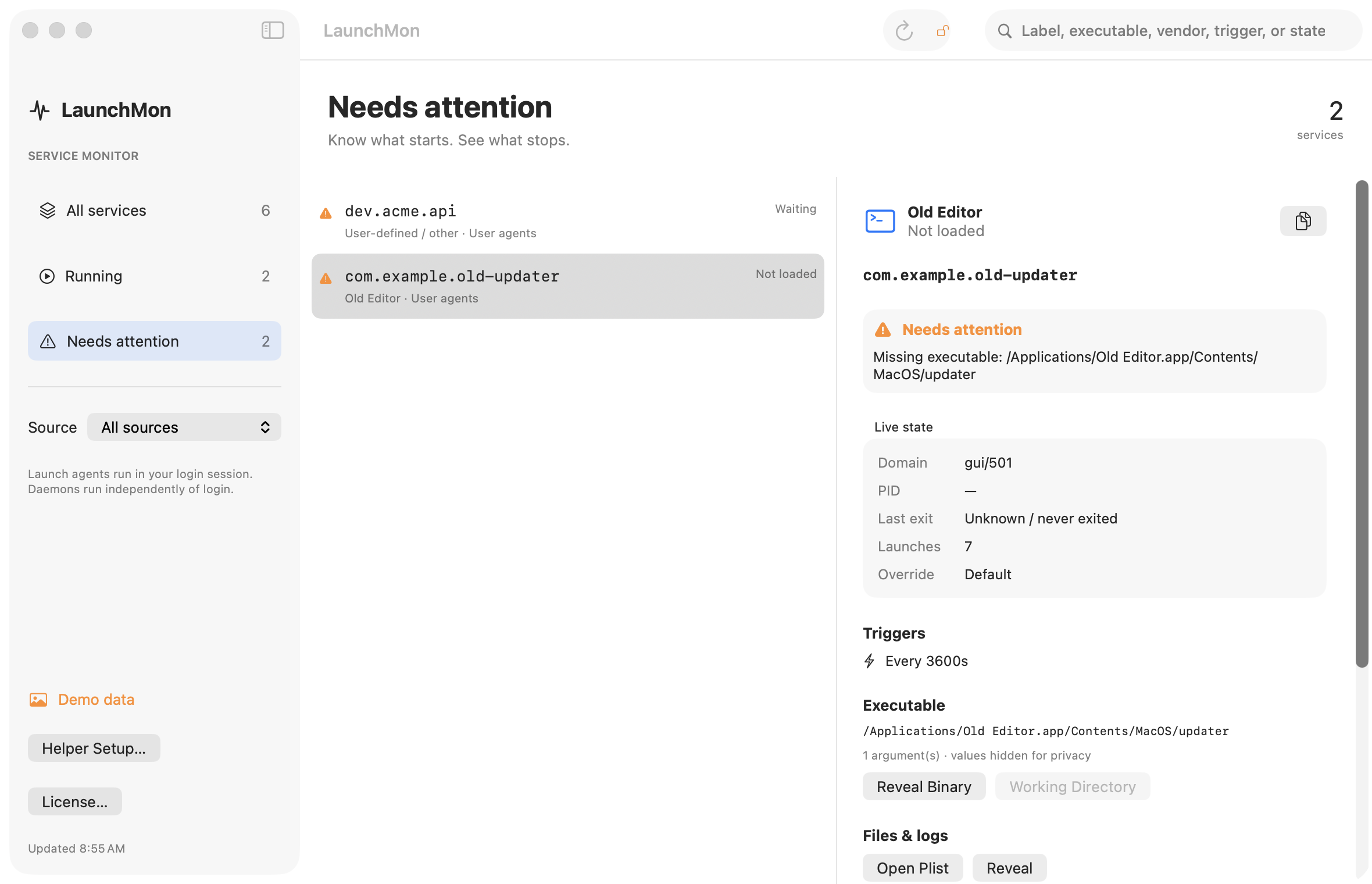
LaunchMon reads every plist in the standard LaunchAgents and LaunchDaemons folders and shows each one’s state: a job whose load failed appears as Not loaded next to its plist path. A file it cannot parse is flagged with the parser’s reason, and a missing Label, a missing Program, or an executable that no longer exists is listed as an issue. Load is offered only for a job that is not loaded, so you cannot load the same plist twice. If launchctl still refuses, an alert shows its exact message.
Related guides
- launchctl bootstrap failed: 5 — what to check
- launchctl load vs bootstrap: the old commands and their replacements
- launchctl “Load failed: 119: Service is disabled”: how to enable a disabled launchd service
- launchctl “Boot-out failed: 5: Input/output error” (and 3, 1, 150): why bootout fails
References: Apple: creating launchd jobs. For commands on your macOS version, run man launchctl and man launchd.plist.